
Blog
What happens when a link is tapped inside Instagram or TikTok
Published 2026-09-28
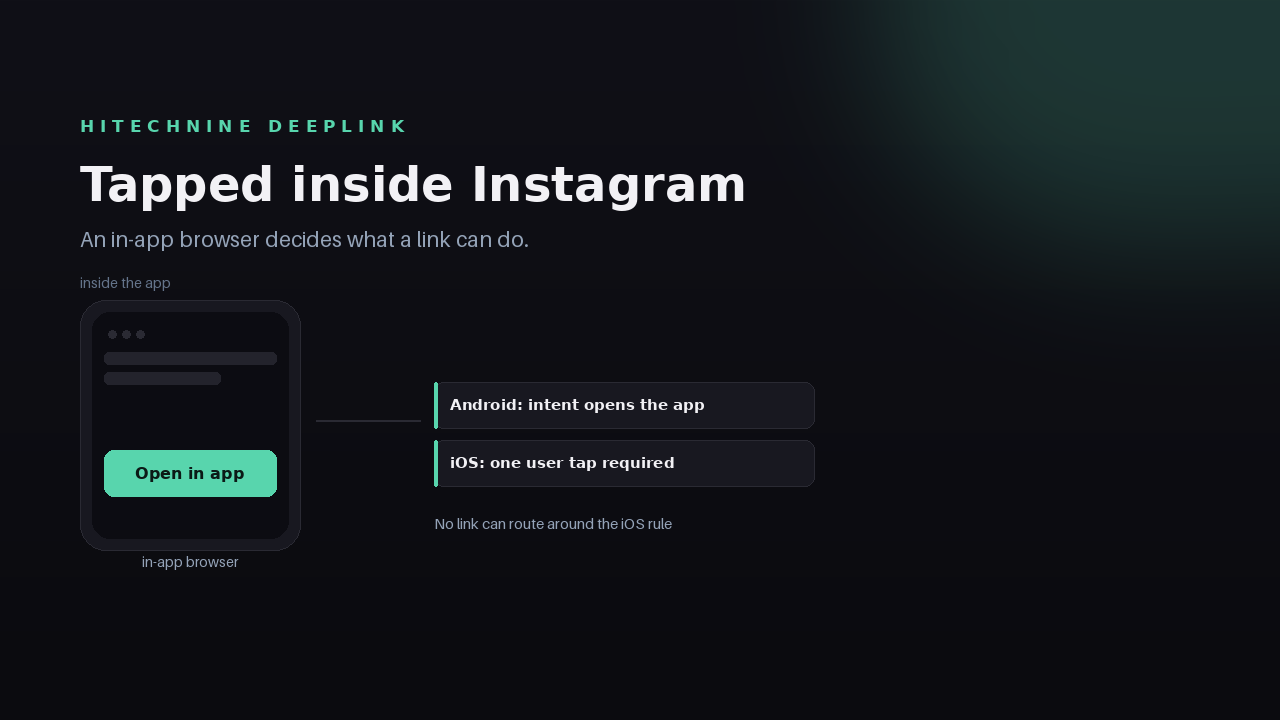
Most of the links you share are not opened in a browser. They are opened inside Instagram, TikTok, WhatsApp or a messaging app, in a window that looks like a browser and behaves like a smaller, more restricted one.
That window decides what a link is allowed to do, so it is worth knowing where a link actually resolves before blaming the link itself.
Key Takeaways
- A large share of taps arrive through in-app browsers inside Instagram, TikTok and messaging apps, not through Safari or Chrome.
- Where the platform allows it, Hitechnine DeepLink opens the app automatically; where it does not, it shows a tap-to-open page that names the provider.
- iOS requires a user tap inside third-party browsers by platform policy. No link can route around that.
- In-app browsers are reported as their own dimension in the link's analytics, so you can see how much of the traffic arrives that way.
The tap does not start in a browser
Someone sees a track in a reel, taps the link, and stays inside the app. Instagram, TikTok and the messaging apps open links in their own browser view rather than handing them to the system browser. The page loads, but JavaScript timers are throttled, storage is limited, and navigation is watched more closely.
For a normal web page this is mostly invisible. For a link whose whole job is to hand the visitor to a native app, it changes what is possible.
What the platform actually allows
Android is the permissive one. An in-app browser can fire an intent and the installed app takes over, so the visitor lands in the app without a detour.
iOS is the restrictive one. Apple requires a user tap inside third-party browsers before an app can be opened, which means an automatic hand-off is not available to anyone. The same restriction exists regardless of which link tool you use.
DeepLink therefore attempts the automatic open wherever the platform permits it, and where it does not, shows a tap-to-open page that names the provider. That page is the honest fallback: one tap, the provider is written out, and the visitor knows what is about to happen.
A spinner is not a fallback. A page that continues the journey is.
Why the tap-to-open page exists
There is a temptation to treat the in-app browser as a problem to defeat with cleverer scripts. It is better treated as a constraint to design for.
A visitor inside Instagram cannot be handed to an app automatically on iOS, but they can be shown a page that says the track is on Spotify or Apple Music and asks for one tap. That tap is permitted, it is understood, and it costs a second. The alternatives are a redirect loop, a page that assumes a browser it does not have, or a dead end — all of which lose the visitor.
What you still learn from those taps
In-app browsers are not a blind spot. They are a reported dimension in the analytics, next to devices and referrers, so a campaign that performs badly can be diagnosed rather than guessed at.
If a link is opened mostly in in-app browsers and the click-through into the app is thin, the problem is usually the platform policy and the tap page, not the link or the destination. That distinction is worth having before you change anything.
If you also care about what the analytics store about those visitors, how the counting works is documented separately.
Test it yourself before a launch
The only reliable test is your own link, opened where your audience opens it. Take one live link and open it in Instagram's in-app browser, in TikTok, in a WhatsApp message, in Safari, in Chrome on Android, and on a laptop. Note what happens in each. It takes five minutes and it removes the guesswork from the next campaign.
Getting started
Create the link once and use the same URL everywhere, including the places you cannot control: a reel caption, a story, a forwarded message. Analytics will tell you which surface sent the tap and whether it arrived through an in-app browser.
Sign in at https://hitechnine.com/login to create your first link.